It’s 8:40 on a Monday night. Your AC just quit, the house is creeping toward 84 degrees, and you’re typing “AC repair in [city]” with one thumb. You tap one of the three businesses at the top of the map. You don’t scroll. You don’t compare. You call.
Now flip it around. You’re the HVAC owner who didn’t make that list, even though you’re closer, cheaper, and better. That gap often comes down to one free tool: your Google Business Profile (GBP). It’s the best place to start if you want a better local SEO ranking.
You don’t need an agency or a marketing degree. You need about an hour, a smartphone, and this walkthrough.
Do I really need a Google Business Profile?
Yes, if customers find you by searching for something nearby. Plumbers, dentists, bakeries, accountants, dog groomers: anyone whose customers type “near me” or a city name.
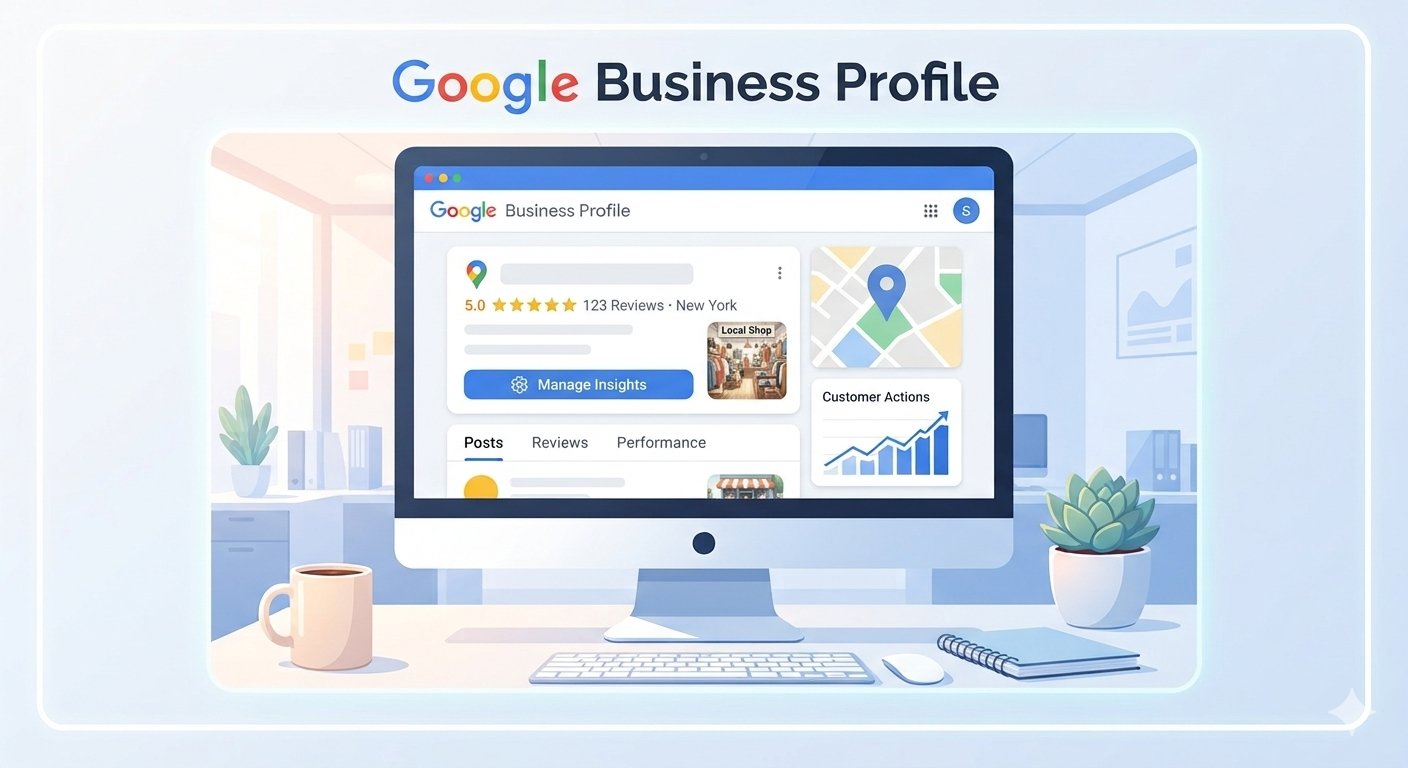
Your listing appears in Google Maps, local results and the sidebar that appears when someone searches for your business name. It shows your hours, your phone number, your photos, your reviews, before someone even visits your website. For many small businesses it’s the first impression, and sometimes the only one.
Google says local results are based mostly on three things: relevance, distance and prominence.
| Factor | What it means | Can you influence it? |
| Relevance | How well your profile matches the search | Yes: categories, services, description |
| Distance | How close you are to the searcher | No |
| Prominence | How well known you are, including reviews and web presence | Yes, over time |
You can’t change distance. You can do a lot about the other two, and it starts with a complete, accurate profile.
Step 1: Check if a listing already exists
Here’s the tip most guides skip: before you create anything, search for your business.
Google sometimes builds listings from public data. A previous owner may have claimed one. If you’ve moved, your old address might still be floating around. Search Google Search and Google Maps for your business name, phone number and any old address or business name.
Why bother? Duplicate or legacy listings can fragment your reviews and send customers to the wrong phone number. A stale listing can quietly cost you calls for months, and you’d never know.
- Listing exists and is yours? Claim it instead of creating a new one.
- Old duplicate? Open it and use the “Suggest an edit” option to report it as closed or a duplicate. This can take a while, so start early.
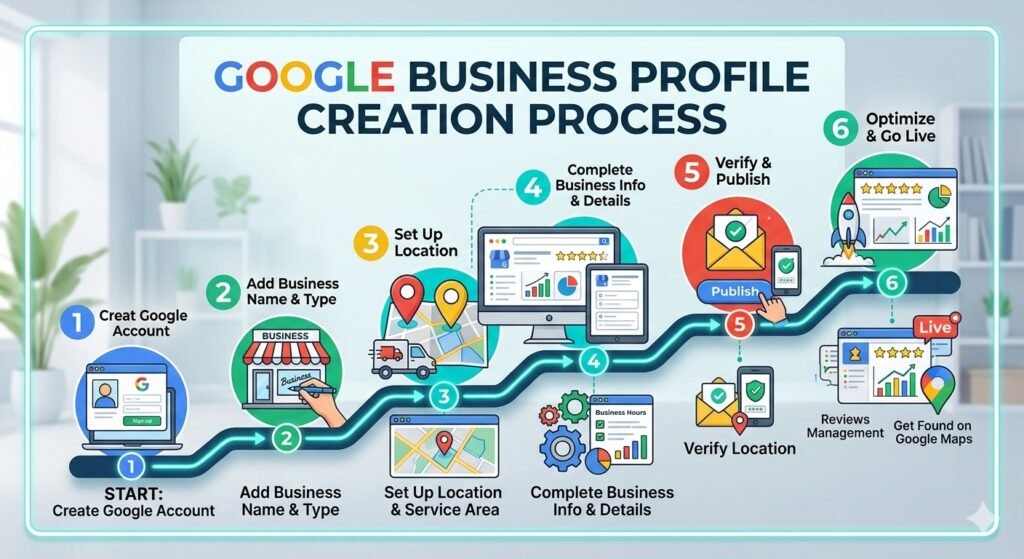
Step 2: Create or claim your profile
Go to business.google.com and sign in with a Google account. Use one that belongs to the business, not your personal Gmail. If you ever hand this off to an employee or consultant, you’ll be glad it isn’t tied to your private inbox.
Then Google asks for the basics:
- Business name: Use your actual name, exactly as it appears on your signage and invoices. Don’t include keywords like “Best Cheap HVAC Repair Houston.” It violates Google’s guidelines and can get your profile suspended.
- Category: Pick the one that fits your main service (more on this below).
- Location: If customers come to you, enter your address. If you go to them, like a plumber or cleaner, set a service area and hide your address. Do not use a P.O. box or virtual office.
- Contact details: Phone number and website.
Step 3: Verify your profile
Verification is how Google confirms you’re a real business at a real location. Until you complete this, your profile won’t be fully shown on Search and Maps and you won’t be able to manage key details.
Google chooses the method based on your business type and its own signals, so you follow what it offers. Common options:
Video verification (increasingly common)
Use a smartphone, with camera and location access turned on. Record one continuous, unedited clip showing:
- The exterior, with your business name visible on signage or windows
- Your work area or interior, such as tools, equipment, or branded materials
- Proof you manage the place, like unlocking the door or showing a business document that matches your profile name
Service-area business with no public storefront? Show street signs or landmarks nearby, plus branded vehicles, uniforms, tools, or invoices carrying your business name. You can preview the video before submitting. Google’s review of your video can take anywhere from minutes to several days.
Phone, text, or email: Google sends a code. Enter it promptly.
Postcard: Google mails a code to your address. It can take up to two weeks, and the code expires after 30 days, so enter it as soon as it arrives.
One rule while you wait: don’t change your business name or address. That can restart the process.
If verification fails: check that your video or documents clearly show your business name, location, and proof of management. Better lighting, a steadier camera, and clearer shots of signage fix most rejections.
Step 4: Fill in everything (verified is good, complete is better)
Think of your profile as a storefront. Right now the lights are off. Turn them on:
- Primary category: One of the best indicators of what searches you show up in. Pick the most specific option. HVAC contractor” beats a vague “Contractor”. Add secondary categories only for services you actually offer.
- Hours: Be specific and include holidays. Few things irritate a customer more than driving to a closed shop. Don’t mark yourself “open 24 hours” unless you truly answer at 3 a.m.
- Services and products: List what you do in plain language: “AC repair,” “furnace installation,” “duct cleaning.” Add short descriptions and a “starting at” price if you can.
- Business description (750 characters max): Write it like you’d explain your business to a new neighbor: who you serve, what you do, where. No sales pitch, no keyword stuffing.
- Attributes: Add any attributes that apply, such as “women-led” or “wheelchair accessible.”
- Photos and video: Upload real ones: your truck, your team, your storefront, finished jobs. Phone photos are fine. Stock images are a missed chance, because people want to know who’s showing up at their door.
- Website link: Point to a page that matches your profile, ideally your homepage or a location page.
How do I get reviews without feeling awkward?
Asking is just business. Happy customers are usually glad to help.
- Ask right after a good job, while the experience is fresh.
- Make it one tap. Your profile has a direct review link. Text it, or put it on an invoice, receipt, or small card. Every extra step loses people.
- Reply to every review, good and bad. Keep it short and human. For complaints, thank them, stay calm, and offer to make it right. Future customers read how you handle the rough ones.
Two rules: don’t buy reviews, and don’t offer discounts for reviews. Google’s policies prohibit both. Also avoid scripting what customers should say. Genuine reviews, in their own words, are what you want.
What moves your ranking after setup?
Setup gets you in the game. These habits keep you there:
- Keep your name, address, and phone consistent everywhere: your website, Facebook, Yelp, the Better Business Bureau, industry directories. “Suite 4” vs “Ste. 4” is fine. A phone number you stopped using in 2021 is not.
- Make your website match your profile. If your profile says you do emergency AC repair in Plano, your site should have a page that says so.
- Keep reviews coming at a steady pace. Ten reviews in one week and then nothing for a year looks odd. Steady beats flashy.
- Do a 15-minute monthly check-in. Log in and confirm your hours and phone number haven’t been changed (others can suggest edits to your listing, and some are wrong). Then add two new photos, reply to recent reviews, and update holiday hours. Google hasn’t confirmed that small updates directly boost rankings, but an active profile is more accurate and more trustworthy to customers.
Rankings also vary from street to street, so don’t panic if your own search from your office looks different from a customer’s across town. For the bigger picture, check out our guide to SEO for small businesses in the USA.
FAQ
How long does it take to show up after I set up my profile?
Once verified, your profile can appear fairly quickly. Climbing to the top of the map results takes longer, and no one can promise a timeline. It depends on your competition, your area, and how complete and active your profile is.
Can I set up a Google Business Profile without a storefront?
Yes, if you serve customers at their location, such as a mobile mechanic, landscaper, or electrician. Hide your address and list your service areas instead. Have your business information ready in case Google asks for verification details.
Can I have more than one profile for the same business?
Generally no. Google wants one profile per location or service-area business. If you find duplicates, report them through the edit options or ask for them to be merged or removed.
Do I need a website?
Not strictly, since Google lets you build a basic profile without one. But a simple website that backs up what your profile says gives customers more to trust.
If you’ve read this far and thought, “I get it, but I really don’t have the hours,” that’s completely normal. Plenty of owners would rather be fixing furnaces than fiddling with categories. TECH Codence Technologies helps small businesses with exactly this kind of setup, from a quick profile audit to full optimization, so you can hand it off and get back to work. Whether you do it yourself or ask for help, start today. Your next customer is probably searching tonight.
Comments are closed